

Deals
Deals by Categories






More Ways to Save

Best Sellers
Best Sellers by Categories
New
New by Categories
Download VEVOR App 

Get Mex$100 Off Mex$3,599+ Orders on Your First 3 App Orders
Scan the QR code to download
SKU: YSBQDYJFTSYCL2R9TV5
Copy


+13
More


Tuspuzz Thermal Label Printer, 300DPI for 4x6 Mailing Packages, Bluetooth & Auto Label Recognition, Support Windows/ MacOS/ Linux/ Android/ IOS/ Chromebook, Compatible with Amazon, eBay, Etsy, etc.
5 4 Reviews
Mex$ 2,090
Earn at least 2% points on purchases or save up to 15%.
Each when you buy 0+.
Shop
Get -% off for new user
Get Mex$100 Off Mex$3,599+ Orders on Your First 3 App Orders.
Download Now
Features & Details
- 300DPI Clear & Stable Printing: No ink, no toner. Our thermal label printer adopts the latest thermal technology to provide an excellent printing experience and save you money. It comes with 300dpi high resolution, making it easy to identify small prints or labels with bar codes. There are zero white dots, and printing will always remain steady because of the high-tech ROHM thermal print head. NOTE: Wireless connection is not available for PC, if you need to connect to PC, please connect via USB. And for Chromebook that requires an Flashlabel Extension, detailed steps are available in the 'Installation Manual' at the bottom of the page.
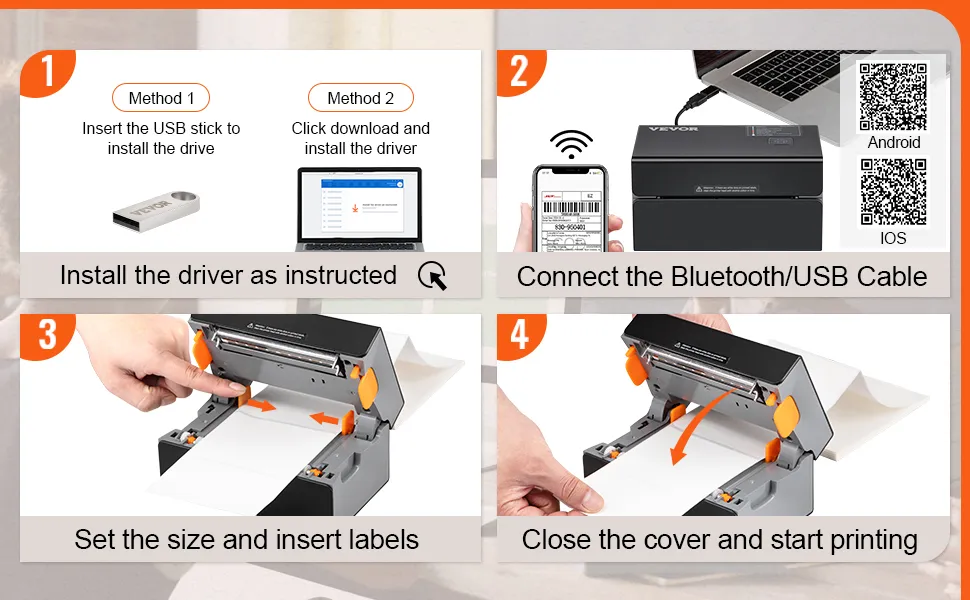
- Wireless Bluetooth Connection: Get rid of those wires and start experiencing Bluetooth! Compare with other label printers printed via USB, VEVOR’s thermal printers can be connected by Bluetooth or USB. This label printer is compatible with IOS, Android, Windows, Mac OS, Linux, and Chromebook; Please download the driver as instructed before printing.
- 150mm/s High-Speed Printing: Thanks to the 150mm/s(6ips) high-speed printing technology, our mailing label printer can print 3600 sheets of 4x6 labels per hour, greatly improving your working efficiency. Suitable label widths: 1.57" - 4.25"/40 - 108 mm. Not just for shipping labels, but also for bar codes, ID badges, DIY labels, FBA labels, address labels, reminder tags, etc. Get your labels printed right. Quality comes with speed.
- Support for Various Platforms: VEVOR postage label printer is designed to improve your working efficiency and bring more business convenience. It can meet the needs of various e-commerce and transportation platforms, including Amazon, eBay, Shopify, PayPal, Etsy, UPS, XPSship, Shippo, ShippingEasy, WorldShip, OrderCup, FedEx, etc. Get your business operating effectively today!
- Automatic Label Identification: This desktop label printer can catch the labels and feed them into the printer automatically. Just close the lid and insert the paper from the back of the printer, then watch as the machine identifies the labels effortlessly. Besides, it also features an automatic paper return function, which can return unsuitable labels and avoid wasting them. Start saving and improving with VEVOR.
Product specification
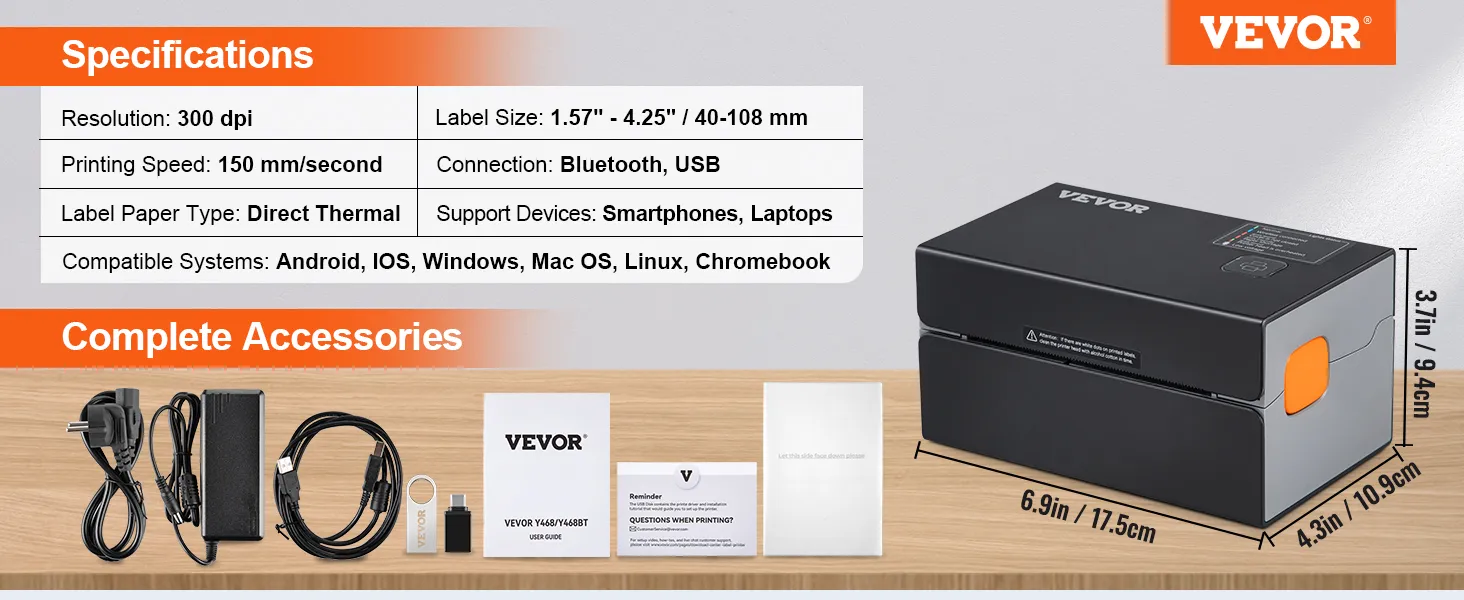
- Resolution 300dpi
- Connection Bluetooth/USB
- Label Size 1.57"-4.25" / 40-108 mm
- Printing Speed 150 mm/s / 6 ips
- Label Paper Type Direct Thermal
- Support Devices Smartphones, Laptops
Frequently Bought Together
Reviews
About this item
Questions and Answers
Explore
Reviews 5.0
All reviews are from verified purchases
Average rating based on 4 reviews
Reviews 5.0
All reviews are from verified purchases
See all 4 reviews
About this item
Product specification
- Resolution
- 300dpi
- Connection
- Bluetooth/USB
- Label Size
- 1.57"-4.25" / 40-108 mm
- Printing Speed
- 150 mm/s / 6 ips
- Label Paper Type
- Direct Thermal
- Support Devices
- Smartphones, Laptops
- Compatible Systems
- Android, IOS, Windows, Mac OS, Linux, Chromebook
- Product Size(L x W x H)
- 6.9x4.3x3.7 inch / 175x109x94 mm
- Net Weight
- 2.86lbs / 1.3kg
Description
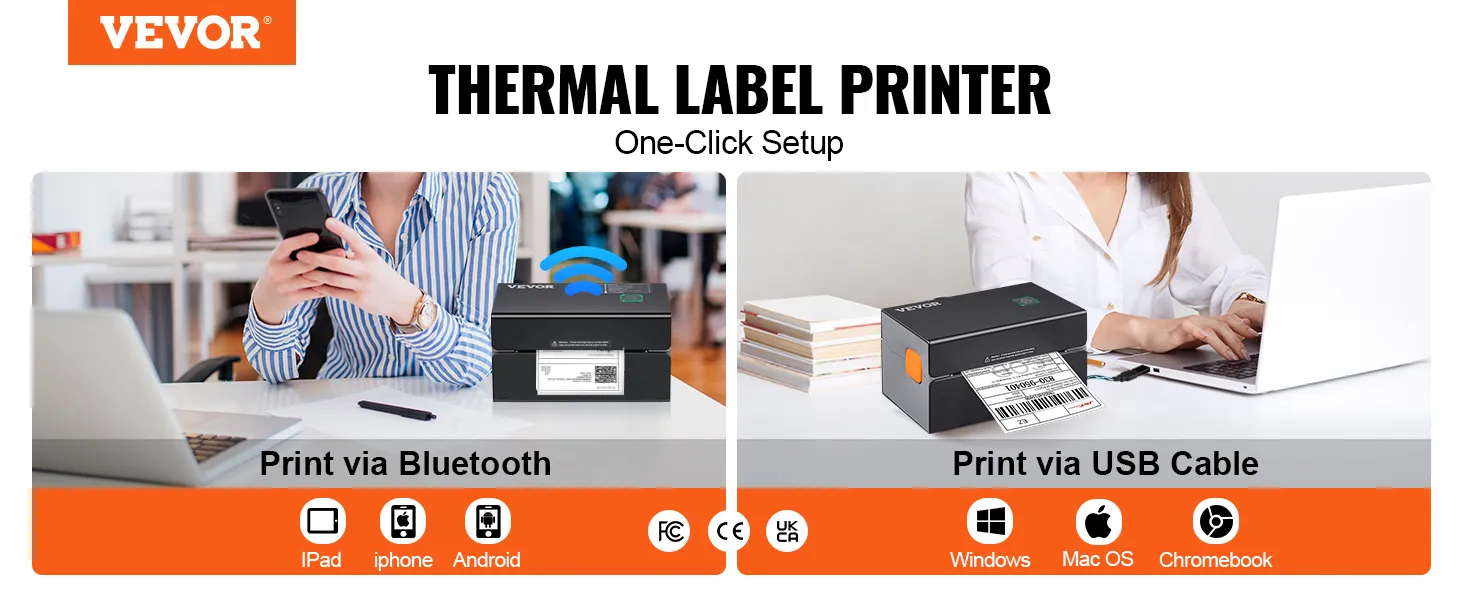
Bluetooth Thermal Label Printer
Auto Label Detection & 4.25" Label Width & Desktop Design
Our label printer brings to life the latest thermal print technology that requires no ink and toner, saving you money and time. In the characteristic of 300dpi and 150 mm/s high-speed printing, our thermal printer produces 3600 pieces of label per hour via Bluetooth/USB. Besides, it is compatible with all major selling platforms and supports IOS, Android, Windows, Mac OS, Linux, and Chromebook. So VEVOR printer is widely used in offices, homes, express, supermarkets, etc. Print, print, print, and see what you have been missing out.
- 300DPI Clear & Stable Printing
- Wireless Bluetooth Connection
- 150mm/s High-Speed Printing
- Support for Various Platforms
- Automatic Label Identification
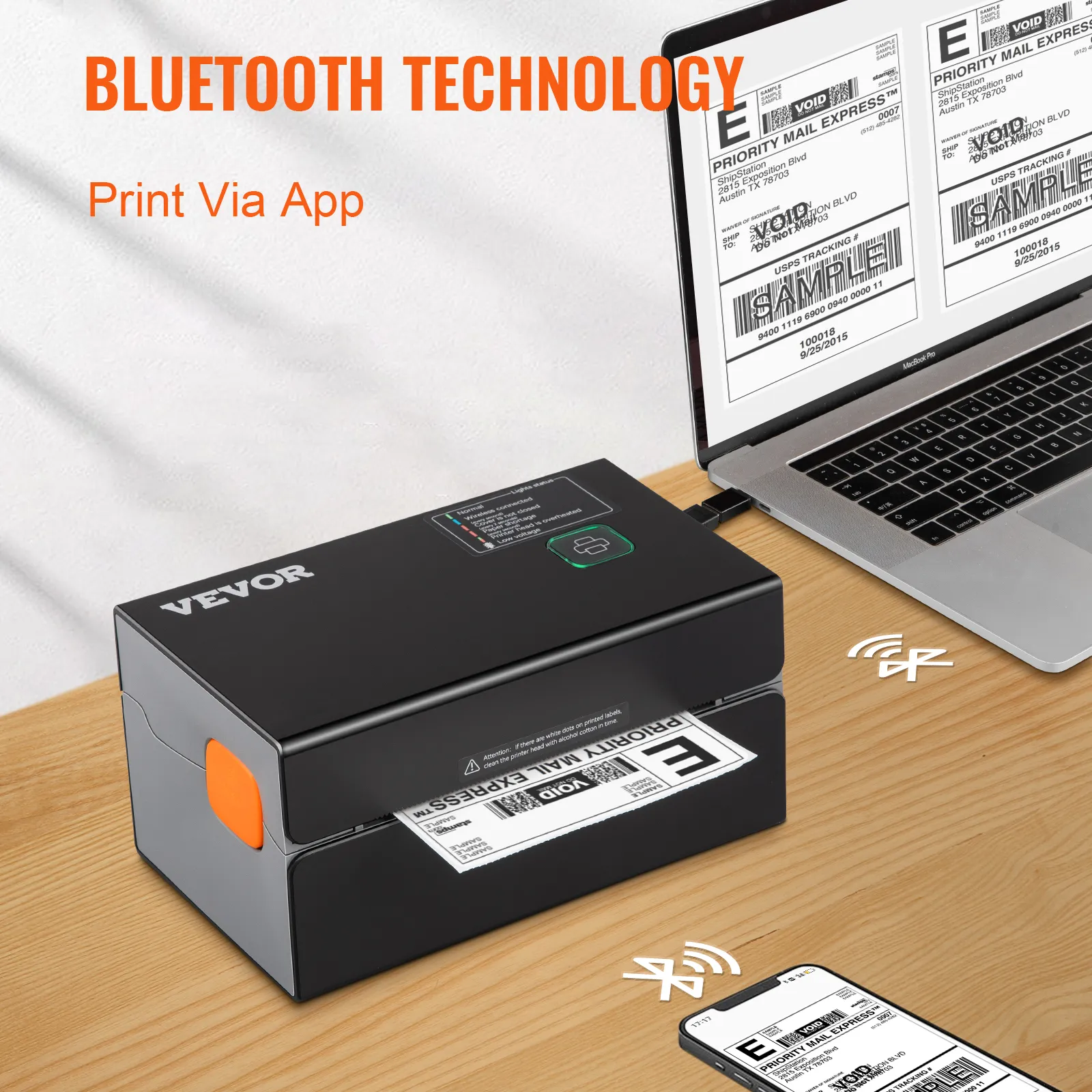
Convenient Bluetooth Technology
Adopts upgraded wireless Bluetooth technology, our thermal label printer is easy to control with your cellphone. Support for IOS, Android, Windows, Mac OS, Linux, and Chromebook.
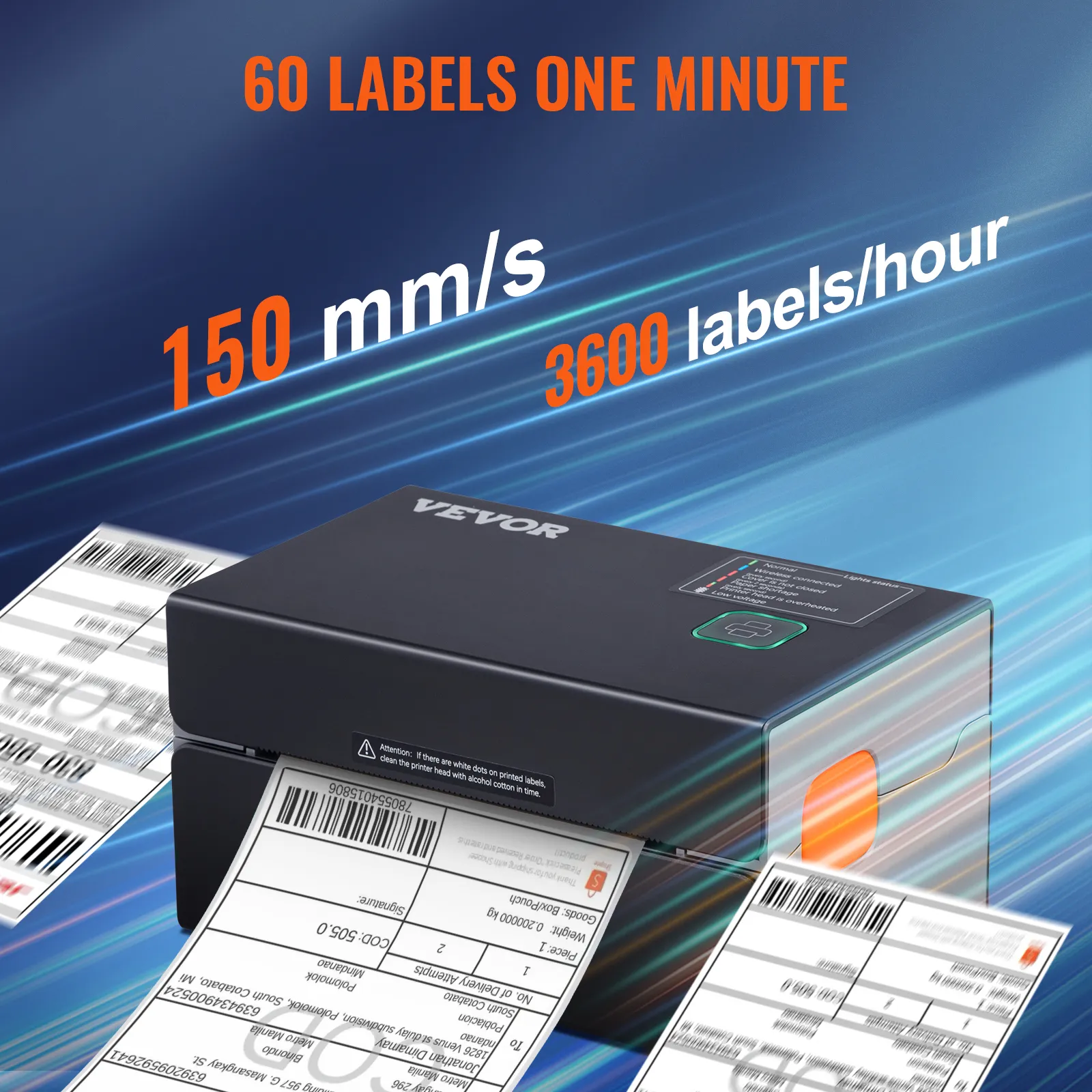
1 Second, 1 Label
Printing Speed: 150 mm/s(6ips). This thermal printer can curtail your printing time and improve your working efficiency. Supports label widths: 1.57" - 4.25"/40 - 108 mm.
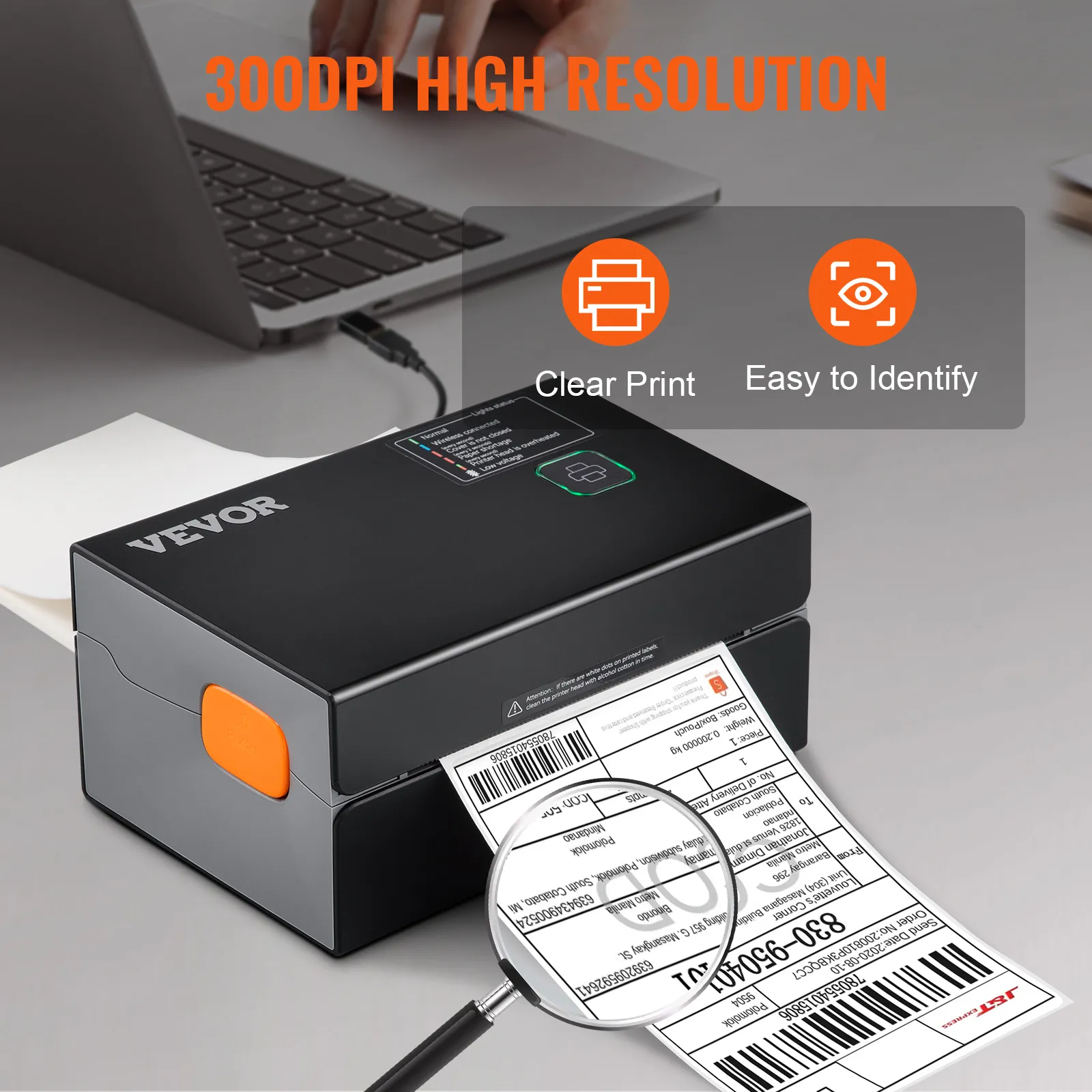
300DPI High Resolution
The high resolution of 300dpi ensures that the contents of each tag are visible and easy to scan and read. Suitable for business offices, express, shops, warehouses, and other places.
Q: Can it print color images?
A: No, all thermal printers can not print any color images.
Q: Why does it print blank page?
A: Check to make sure you are using thermal labels and that the labels are oriented correctly with the label facing upwards.
Q: I installed the shipping label printer’s driver. Why am I still unable to print?
A: The shipping label printer needs to be powered on and connected to the computer prior to installing the driver. Uninstall the driver and try reinstalling.
Q: How to connect the Bluetooth to print the labels through my phone?
A: Download the 'Shipping Printer' App to your phone, and then connect the Bluetooth via the APP but not through the phone setting.
Q: How do I calibrate the label printer?
A: Press and hold the feed button until the indicator (blue) flashes 2 times. Release the feed button and the printer will begin calibrating.
Questions and Answers (8)
Si necesito usar etiquetas circulares de 2x2 cm no podría usarlo con esta impresora?, tienen una que si?
Pero que pasa, no la detecta, sale chueco?, o hay manera de hacerlo?
El ancho mínimo es de 40 mm, 20 mm es demasiado pequeño.
By vevor
Helpful
(
0
)
Hola, funciona con papel termico adhesivo? ya que busco uno para guias de envio
Puede imprimir papel con espacios térmicos con un ancho de 40 a 110 mm y se puede imprimir cualquier cosa dentro de este rango.
By vevor
Helpful
(
0
)
Es resolución 300 DPI o 203 DPI??? porque en la descripción dice 300 y en la imagen 203.
Gracias espero su respuesta
Su resolución es de 300dpi.
By vevor
Helpful
(
0
)
Imprime fotos ?
Se recomienda utilizar material de papel térmico para etiquetas con un ancho de 40-110 mm.
By vevor
Helpful
(
0
)
Que grosor máximo podría aceptar la impresora.
Se recomienda utilizar material de papel térmico para etiquetas con un ancho de 40-110 mm.
By vevor
Helpful
(
0
)
Security & Privacy
FREE Returns
Professional Service
Compare with similar items
Similar Items You Might Like
People Who Bought This Item Also Bought
Best sellers in this category
People Who Viewed This Item Also Viewed
Your Browsing History